
← All works Works · 06
Otter Body Lab
Food, workouts, weight and posture on one screen. A personal fitness log that sits on your phone’s home screen and works like an app.
01The problem
A workout app, a food app, a note for weight, a camera roll for progress photos. With the record split four ways, even “what do I do today?” gets fuzzy. And morning weight jumps around with a glass of water, so staring at one day’s number mostly just drains the motivation.
02How it works · 3 steps
See today
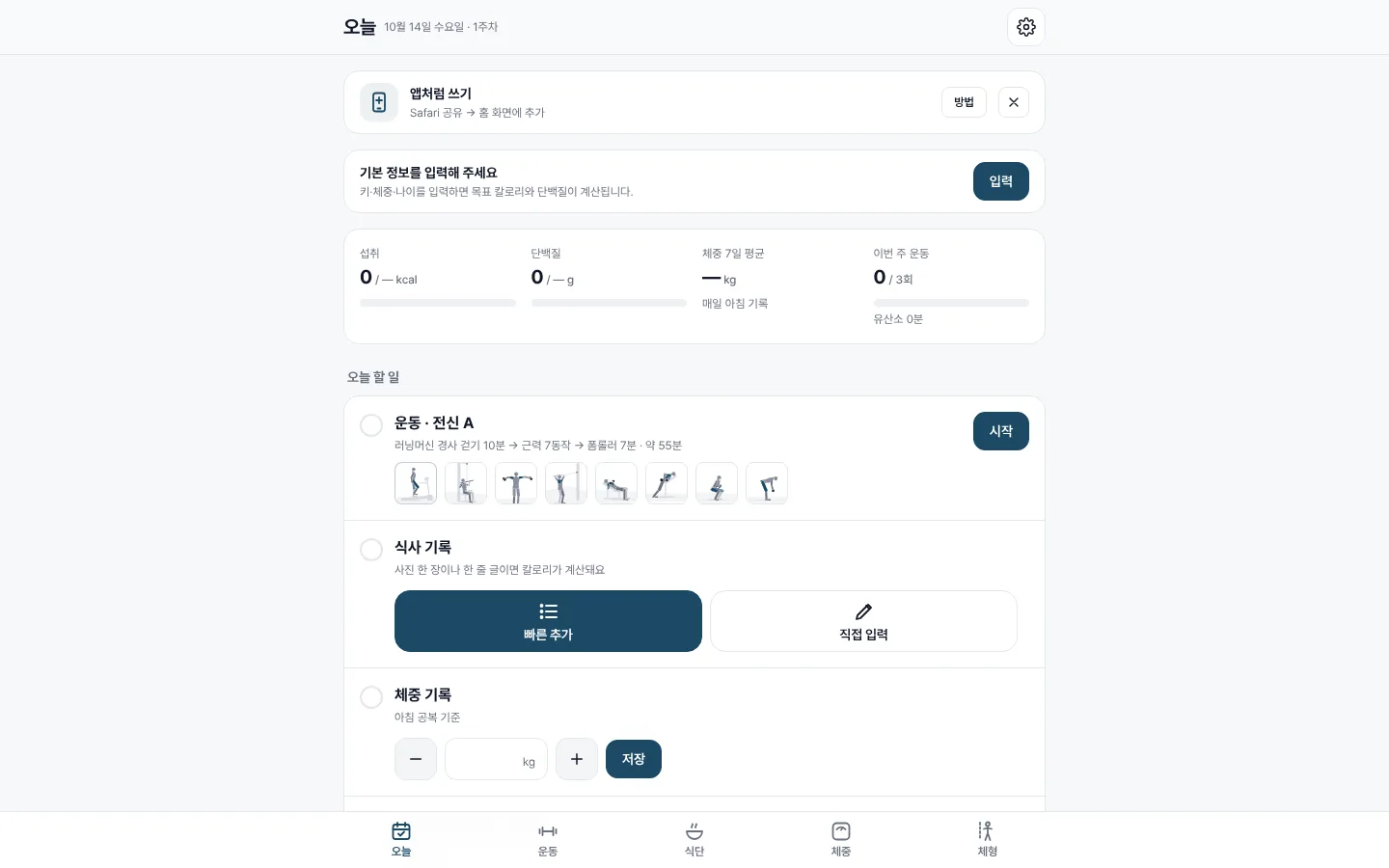
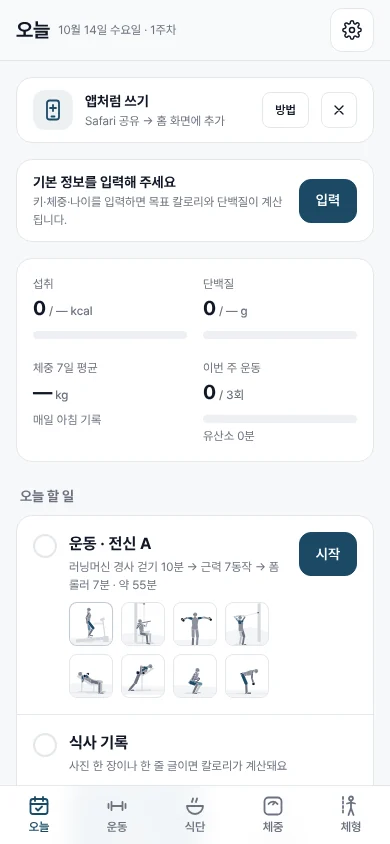
The first screen lines up calories in, protein, a 7-day weight average and workouts this week. Weight is read as a 7-day average, so one odd morning doesn’t throw you.
Follow the routine
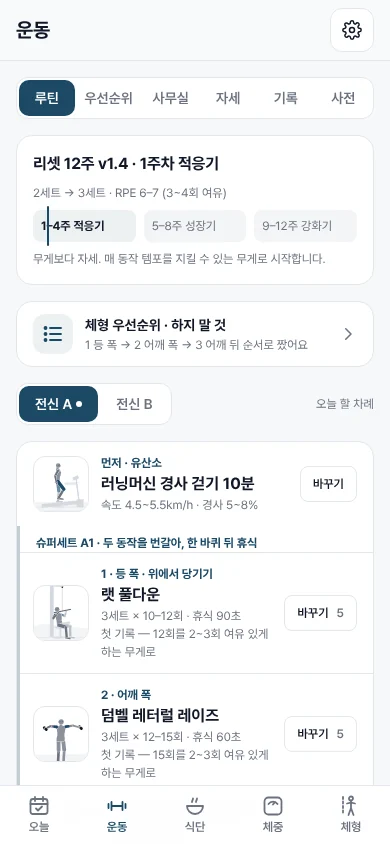
A 12-week reset routine in three blocks: adapt, build, strengthen. Each superset card pairs two moves with a small form figure, so at the gym you just follow the screen.
Log it lightly
Snap a photo of a meal or type one line, and the calories are worked out. For posture, take side, front and back photos, then put them next to each other a few weeks later.
03Screens
04Stack
- Installable web app (PWA): add it to the home screen and it opens like an app
- Same screens on phone and desktop (responsive)
- A small form figure for every move
- Meal logging from one photo or one line of text
05Status
Up and running. The screens show the empty state before anything is logged, so no personal records appear.